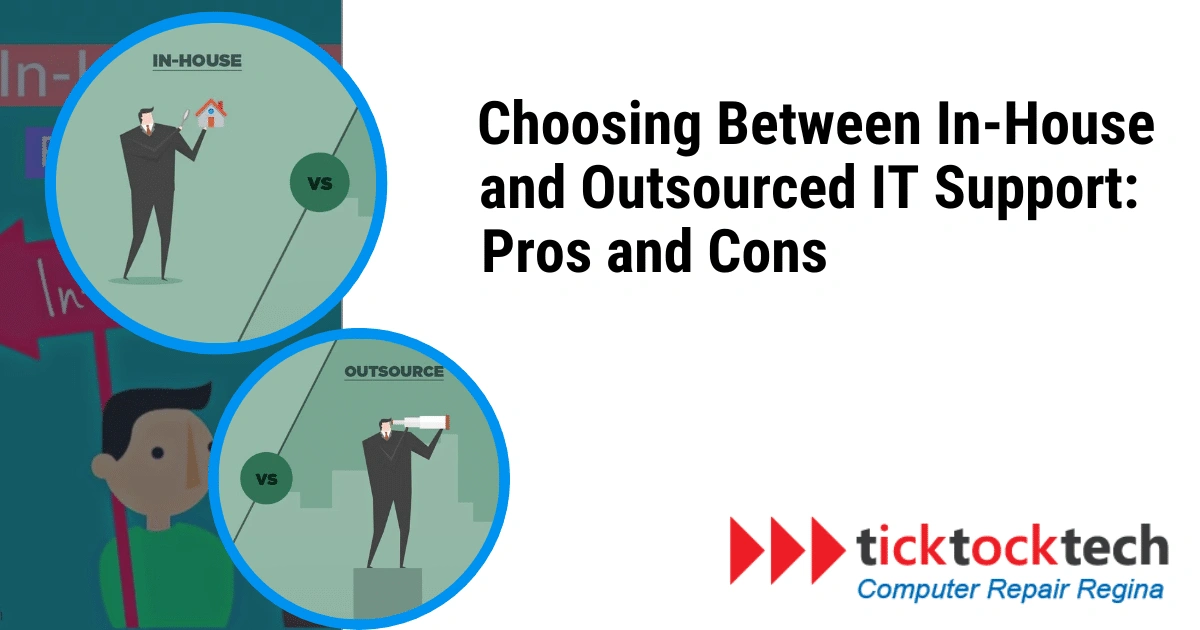
In today’s fast-paced digital world, businesses of all sizes rely heavily on IT to drive and assist their operations. Whether it’s maintaining servers, troubleshooting technical issues, or ensuring data security, a robust IT support system is essential. However, companies face a crucial decision when structuring their IT support: should they maintain an in-house team or outsource their IT support? Each option comes with its own set of advantages and disadvantages. In this article, we’ll explore the pros and cons of in-house and outsourced IT support, helping you make an informed decision for your organization.
In-house IT Support
In-house IT support refers to hiring and managing a team of IT professionals within your organization. These experts work exclusively for your company, focusing on its needs and goals. Here are some of the key pros and cons of having an in-house IT support team:
Pros of In-house IT Support
1. Dedicated focus: The sole dedication of an in-house IT team is to your organization’s needs. They develop an in-depth understanding of your systems, processes, and company culture, which can lead to more tailored and efficient support. This also allows for faster response times when issues arise, as the IT team is already familiar with the systems and processes.

2. Immediate access to support: When an issue arises, your in-house team can respond promptly, as they are physically present within your office. This quick response time can minimize downtime and disruptions.
3. Alignment with company goals: To position in-house IT teams better, their strategies and initiatives are aligned with your company’s long-term goals, ensuring that IT investments support your business objectives.
4. Enhanced security: With in-house IT support, you have greater control over your company’s security measures. You can implement security protocols and practices aligning with your needs and risk profile.
5. Cultural integration: In-house IT professionals can become integral to your company’s culture, enhancing collaboration and communication with other departments. They can also provide advice on how to improve existing systems or processes, as well as help you implement new ones. This can help you save time and money in the long run.
Cons of In-house IT Support
1. Higher costs: Maintaining an in-house IT team can be expensive. You must bear the salaries, benefits, training, and infrastructure required to support your IT department.
2. Limited expertise: An in-house team may need more expertise, especially for niche or specialized areas of IT. It could lead to challenges in addressing complex or uncommon issues. When taking on a larger IT project or something out of the ordinary, such as cybersecurity, it’s likely that you will need to out-source IT help anyway.
3. Staffing challenges: Recruiting and retaining top IT talent can be significant, as the demand for skilled IT professionals is high. Employee turnover can disrupt your IT operations.
4. Scalability issues: Adapting your in-house team to changing workloads and business needs can be difficult. Expanding or shrinking the team to match fluctuations in workload can be time-consuming and costly.
5. Lack of 24/7 support: In-house teams typically work regular business hours, which can be a limitation if your business operates around the clock or serves a global customer base.
Outsourced IT Support
Outsourced IT support involves contracting a third-party IT service provider to manage your IT needs. These providers offer services from essential help desk support to comprehensive IT management. Outsourcing can be beneficial as it allows organizations to access a larger pool of technical expertise and resources than they would have access to in-house. Additionally, outsourcing can be more cost-effective as it eliminates the need to hire and train additional staff. Here are the pros and cons of outsourcing your IT support:

Pros of Outsourced IT Support:
1. Cost savings: Cost reduction is one of the most significant benefits of outsourcing IT support. You can typically access a broader range of expertise for a lower cost than hiring and maintaining an in-house team.
2. Access to specialized expertise: IT service providers in Regina often have a diverse team of specialists offering expertise in various domains. You can tap into a broad skillset to address complex IT challenges.
3. Scalability: Outsourced IT support can quickly scale up or down according to your business needs. You can adjust your service contract to accommodate growth or fluctuations in workload.
4. 24/7 support: Many outsourced IT providers offer 24/7 support, ensuring that your systems monitor and address issues at any time of the day or night, increasing uptime and customer satisfaction.
5. Reduced HR burden: When you outsource, you eliminate the responsibility of recruiting, training, and retaining IT staff, reducing HR-related stress.
Cons of Outsourced IT Support:
1. Less immediate response: Since outsourced providers may serve multiple clients, response times might take longer than an in-house team’s. It could lead to slightly more extended downtime in the event of issues.
2. Less company-specific knowledge: Outsourced IT teams may need an in-depth understanding of your organization’s unique culture and processes, which can affect support quality.
3. Potential security concerns: Handing over some control to an external provider can raise security concerns. You must ensure that the outsourcing partner complies with security standards and regulations.
4. Risk of provider dependence: Overreliance on an outsourced provider can create a risk if the provider faces issues or goes out of business. It’s essential to have contingency plans in place.
5. Communication challenges: Geographical and cultural differences can sometimes lead to communication challenges when working with an outsourced team.
Making the Right Choice Between In-house and Outsource IT Support
The decision between in-house and outsourced IT support ultimately depends on your organization’s needs, budget, and strategic goals. To make the right choice, consider the following factors:
1. Budget: Determine your budget constraints and weigh the costs of maintaining an in-house team against outsourcing. Remember that the latter can provide cost savings in many cases.
2. Expertise required: Assess the complexity of your IT needs. If your IT requirements demand a wide range of expertise, outsourcing might be more beneficial due to the access to specialized skills.
3. Scalability: Consider your business’s growth plans. If you anticipate fluctuations in IT demands, outsourcing can provide more flexibility.
4. Security and compliance: If your industry has stringent security and compliance requirements, you should evaluate the ability of both in-house and outsourced options to meet these needs.
5. Response time: Assess the criticality of immediate IT support. An in-house team might be more suitable if quick response times are vital.
6. Cultural fit: Evaluate whether an outsourced provider can adapt to your company’s culture and effectively align with your business objectives.
In many cases, a hybrid approach, combining in-house and outsourced IT support, can offer the best of both worlds. For instance, you might retain an in-house team to manage core IT functions and outsource specialized tasks or after-hours support to third-party providers. This approach can be a practical compromise between cost-effectiveness and flexibility.
Conclusion
Choosing between in-house and outsourced IT support involves carefully assessing your organization’s unique requirements and priorities. Both options have pros and cons, and the right choice will depend on factors such as budget, expertise needed, scalability, and long-term strategic vision. By making an informed decision, you can ensure that your IT support system is aligned with your business goals and can adapt to the ever-evolving technology landscape.
It is important to ensure that the IT support you choose is reliable and trustworthy. It is also important to make sure theey are up-to-date on the latest technology aand have a good track record of providing quality service.
FAQs
Q: How do I decide between in-house and outsourced IT support?
The decision depends on factors such as your budget, the expertise required, scalability needs, security and compliance requirements, response time sensitivity, cultural fit, long-term strategy, and risk tolerance. Consider these factors in light of your organization’s specific needs and goals when making your choice.
Q: Is there a middle ground between in-house and outsourced IT support?
Yes, a hybrid approach is a middle-ground solution. It involves combining in-house and outsourced IT support to optimize cost-effectiveness and flexibility. For example, you can retain an in-house team for core functions and outsource specialized tasks or after-hours support to third-party providers.
Q: Can I switch from in-house to outsourced IT support, or vice versa, if my needs change?
Yes, you can switch between in-house and outsourced IT support based on your changing needs and circumstances. Also, the transition may require careful planning and consideration of factors like staffing changes, training, and budget adjustments.