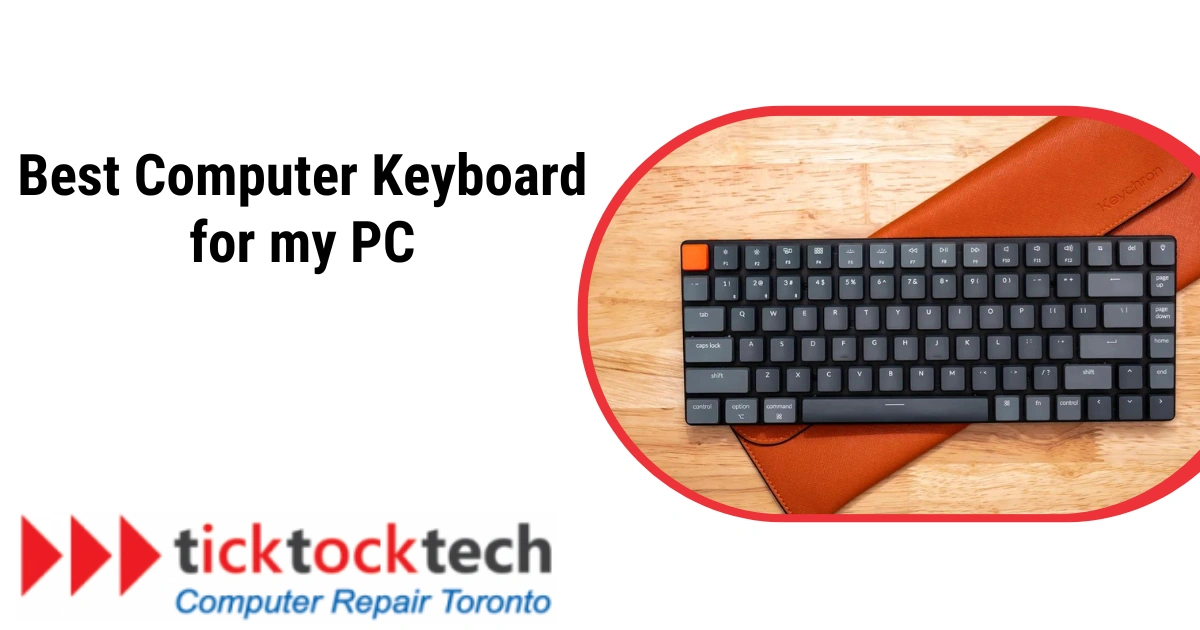
For professionals or gamers, a sleek keyboard with good typing convenience is worth the investment. Logitech is one of the best computer accessories producers, and they also produce a range of computer PC keyboards for versatile purposes. Having a good external computer keyboard will give more convenience, especially for desktop users. While there are ordinary keyboards, there are also RBG and split keyboards, offering different forms of convenience. Looking to buy a keyboard for your PC, this post will provide a diverse option for you
1. Logitech Pop Keys: Low Budget Multipurpose Keyboard
The Logitech Pop Keys is a versatile mechanical keyboard with a colorful and easy-to-use typing experience. It supports Bluetooth connectivity for up to three devices, making it suitable for work and play.
Despite its compact size, the Pop Keys is surprisingly heavy and lacks RGB lights. The keyboard comes in five colors, with Daydream being the most colorful. It features purple, yellow, and white keys on a green and purple base, and includes both Mac and PC notations. The keyboard can be easily switched between work laptops, personal gaming computers, and iPads over Bluetooth.
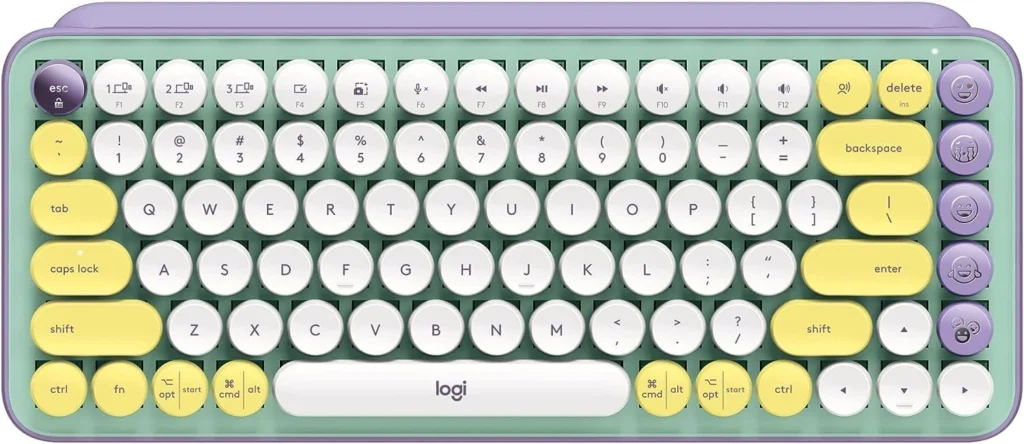
The round keycaps are comfortable for users accustomed to square keys. The Pop Keys is priced at $100 and comes with a matching mouse, though it may not be as ergonomic as desired. The keyboard focuses on color and fun without needing customization, except for the emoji keys.
Logitech’s Logi Options+ app allows for emoji customization, allowing users to pair four keys with any emoji from the list. Overall, the Logitech Pop Keys is a top choice for those seeking a colorful, easy-to-use mechanical keyboard.
Related: Computer Keyboard Key Explanations – What do these keys do?
2. Logitech Signature K650: Best Keyboard for Business
The Logitech Signature K650 is a dependable business keyboard that boosts productivity with its built-in palm rest, adjustable incline settings, and quiet rubber dome switches. It works with both macOS and Windows and has a Logi BOLT receiver for easy communication with a compatible Logitech mouse or Bluetooth pairing.
The keyboard is low-profile, with a built-in wristrest for longer usage, and it includes macOS and Windows key legends. However, it does not support Bluetooth multi-device pairing, the rubber dome switches may feel mushy, and there is no backlighting. At only $39.99, it provides exceptional value for its qualities.
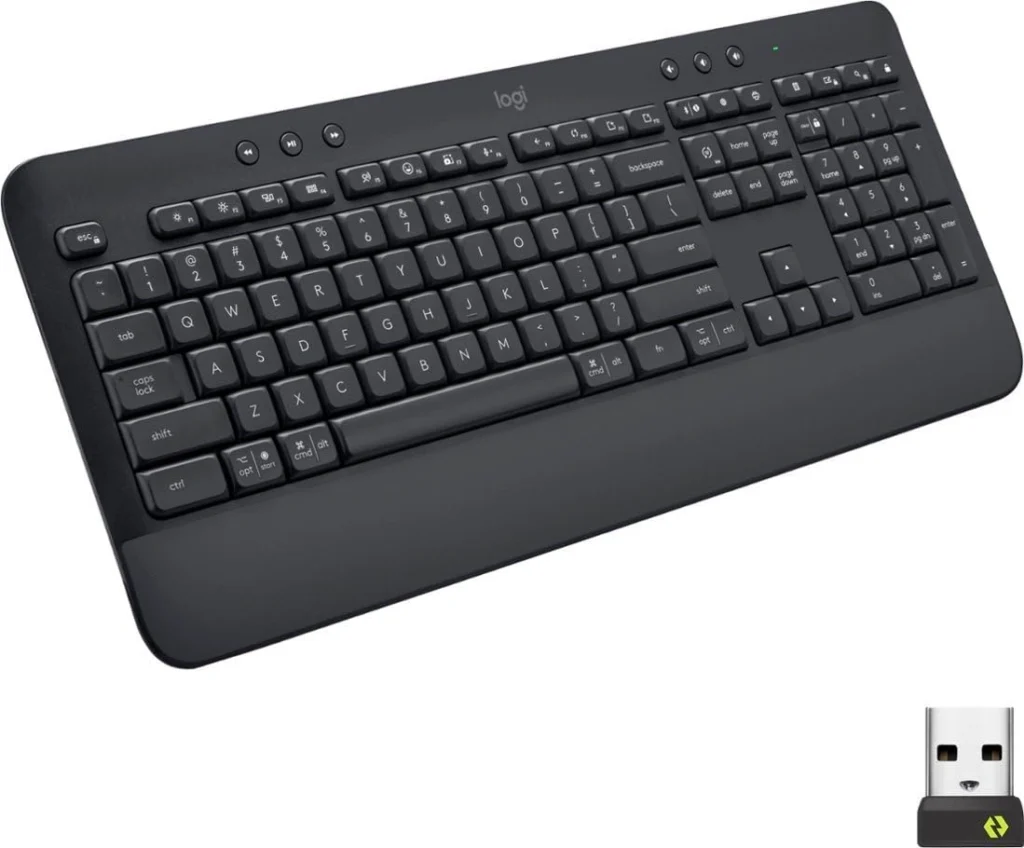
Despite its low cost, the Logitech Signature K650 includes capabilities that considerably increase productivity. The built-in palm rest is not the most comfortable, but the dedicated buttons and shortcuts are really useful for optimizing processes. The keyboard weighs around 700 grams and takes up a significant amount of desk space due to its full-size layout. It provides Bluetooth 5.1 and 2.4GHz wireless connectivity using the accompanying Logi Bolt USB receiver, with a range of up to 10 meters. The keyboard is spill-proof and has a battery life of up to 36 months.
In conclusion, the Logitech Signature K650 is a fantastic alternative for budget-conscious customers searching for a keyboard that boosts productivity with multiple shortcuts and dedicated buttons. Other models may be more suited to people looking for a mechanical keyboard or a supportive palm rest.
See Also: Why does my computer turn on but no display or keyboard?
3. Logitech K480: Best for Tablets
The Logitech K480 is a versatile keyboard designed for pairing with mobile devices like phones and tablets. Its Bluetooth connectivity allows for easy pairing with multiple devices, and its compact design makes it easy to carry in a bag.
The keyboard is compatible with any operating system and offers a seamless typing experience with an integrated cradle for your mobile device. However, the overall typing experience is average, with the keys feeling somewhat mushy. The build quality is made of plastic and customization options are limited.
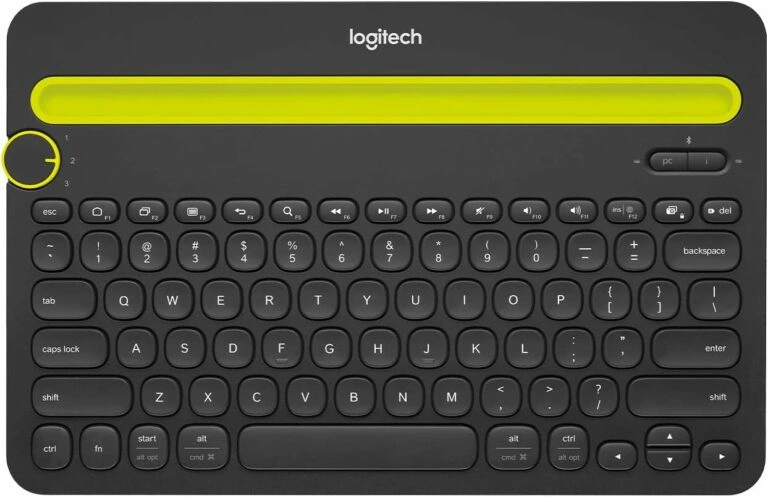
The Logitech K480 Bluetooth Multi-Device Keyboard is designed to solve the problem of juggling multiple devices while working on your computer. It features circular keys and a rubberized groove stand for mobile devices, with a dial above the Esc key allowing you to select connected devices. The keyboard’s dimensions are compact but slightly bulky for a portable tablet keyboard, weighing 1.81 pounds.
Powered by two AAA batteries, the K480 has a battery life of up to two years and is compatible with various operating systems. It does not support Windows Phone. The keyboard offers well-spaced keys, decent travel, and slightly mushy feedback, but lacks some keys found on full-size keyboards like Page Up/Down and Print Screen.
The Logitech K480 is a versatile and convenient keyboard for those looking to switch between multiple devices easily. Priced at $34.99, it offers great value and enhances productivity. However, it may not be compact or light enough for portable tablet use and lacks the comprehensive key selection of a full-size keyboard.
4. Logitech MX Keys S: Best Keyboard for Writing
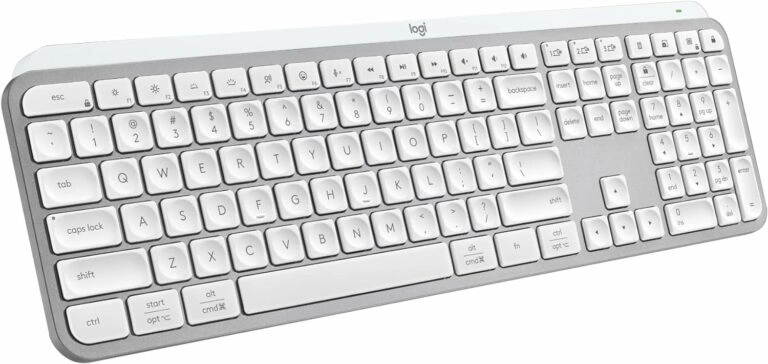
The streamlined design includes smooth sides and a single metal tray for keys, each of which has a matte coating and little indentation for a precise typing experience. The keyboard’s natural upward pitch is ideal for extended typing sessions. Despite its bigger size, the MX Keys S is not portable and is best suited for stationary use. It has a power toggle and a USB-C charging port, and the battery lasts 10 days per charge or 5 months without backlighting.
Using Bluetooth or the Logi Bolt USB receiver, you can pair the MX Keys S with up to three devices at the same time. This makes it an ideal tool for multitasking across platforms. The keyboard’s quiet functioning is outstanding, thanks to its matte covering and illumination. However, people used to glossier keyboards may find the matte texture unusual. Users must rely on their host device to verify battery levels because there is no battery indication on the keyboard.
The Logi Options+ software provides comprehensive customization options, including the ability to map commands and automation to individual keys, alter illumination settings, and easily switch between associated devices. Despite its bigger size and lack of portability, the MX Keys S provides excellent value and usefulness to professionals.
Keyboard Tip: How To Turn On Keyboard Backlight On Lenovo
5. Logitech Pebble Keys 2 K380s: Best Keyboard for Students
Logitech’s Pebble Keys 2 K380s is a compact and affordable keyboard designed for students and frequent travelers. Its lightweight build, made from recycled materials, ensures stability but lacks adjustable feet or stand for typing at an angle. The keyboard lacks ergonomic assistance, but it has helpful keys for emojis, screenshots, and dictation mode.
There are two ways to connect: Bluetooth and a Logitech Bolt receiver that works with Windows, macOS, Linux, and ChromeOS and can support up to three devices. iOS and Android devices can connect via Bluetooth, albeit their response times are generally a little slower. With the shortcuts on the upper left, switching between devices is effortless.
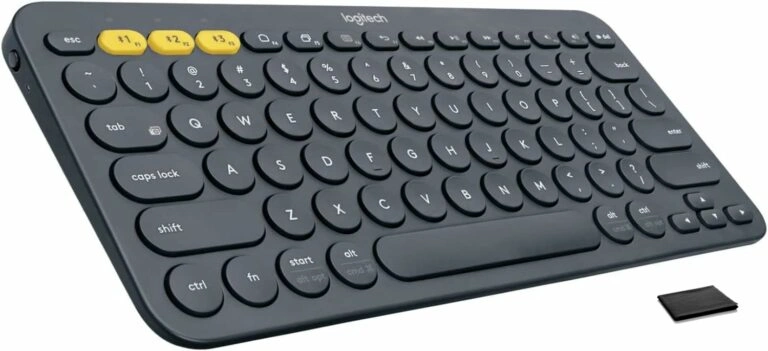
The keys have a small travel distance, akin to a laptop keyboard, and are quiet but not silent. Think about getting a keyboard with more noticeable caps if you want greater tactile feedback. Only ten Fn keys can be changed with the Logitech Options+ app, which also monitors battery life.
One significant benefit is the long battery life—Logitech claims that a pair of AAA batteries that come with the keyboard can last up to 36 months. Nevertheless, there is no way to charge the batteries, so they must be changed as needed.
The Pebble Keys 2 K380s retail for $39.99/£44.99 in the US and $39.99/£44.99 in the UK from Logitech and Amazon. The cost of a Mac-only version is comparable. The Pebble 2 Combo kit, which costs $59.99/£69.99 and comes with the Pebble Mouse 2 M350s and a wireless bolt receiver, is for people who need a wireless mouse.
6. Logitech G915 Wireless Mechanical Keyboard: Best for Gaming
The Logitech G915 Lightspeed Mechanical Gaming Keyboard is a premium wireless mechanical keyboard that offers swift gaming performance, comfortable typing, and a sleek, mature design. Despite its high price of $249, it is justified by its features such as low-profile mechanical keys, easy switching between Lightspeed and Bluetooth, and an elegant, slim build.
The keyboard’s GL switches provide a variety of typing experiences, each with a distinct feel and response. The low-profile keys have a 1.5mm actuation distance and a 2.7mm total travel distance, requiring 50g of force for quicker key presses.
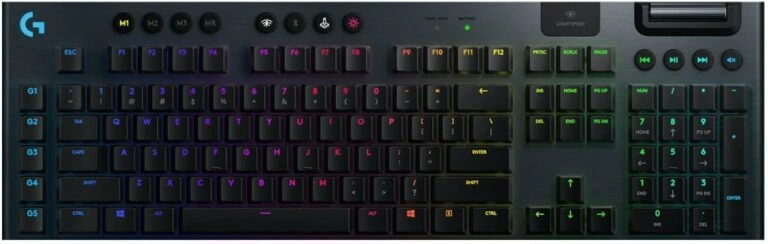
The layout is intuitive, with all keys and controls positioned for easy access. The keyboard’s RGB lighting and additional buttons for macros and media enhance its functionality.
However, the G915 has drawbacks, including its high price, easy key markings, lack of USB passthrough, and wrist rest. The keyboard’s wireless performance is impressive, with a 1ms report rate and impressive battery life.
Logitech G Hub software allows for extensive customization, including lighting schemes and key assignments. Despite some light bleed between keys, the lighting is not distracting and the software is user-friendly, enabling quick setup and adjustments. Overall, the Logitech G915 Lightspeed Mechanical Gaming Keyboard offers a great blend of error-free typing, speed, and comfort.
Related: Top 5 Best Gaming Keyboards




![12 Top Tech Companies in Toronto [2024]](https://ticktocktech.com/wp-content/uploads/2026/04/Toronto-1.webp)